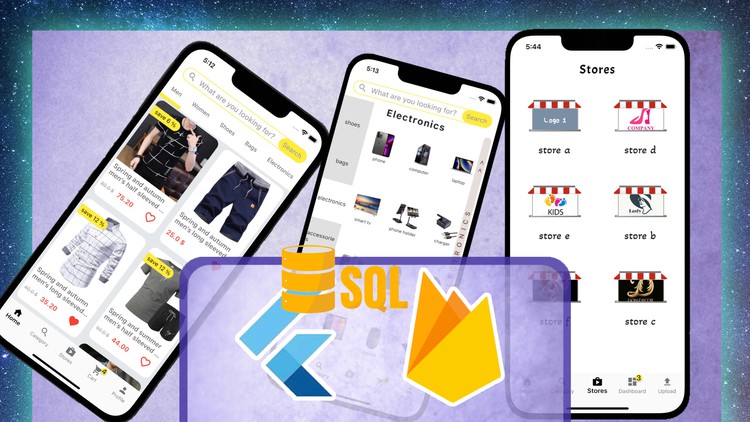
Flutter - Firebase - SQLite : Multi-store App (Full - Deep)

- Descrição
- Currículo
- FAQ
- Revisões
Nowadays we live the age of e-commerce applications we can sell and shop anywhere around the world
In parallel with going through new technologies everyday so that’s why this course was built.
Building this kind if applications is the most convenient way to grow up your programming skills and your way of thinking as well
Going through this course will take you to another level of skills and thinking
And also solving problems , so don’t miss a deal to dream your next design and lead it to professional zone
here you will learn :
-
How to use flutter widgets and get the most benefits of each widget.
-
How to create a new firebase project and install it to IOS and Android.
-
How to allow Users to Authenticate with your application .
they can Signup , Login , Logout
-
How to allow suppliers to upload Products to their stores or to application in general.
-
How to Stream Data again from firebase Cloud to your application and arrange them in pages and categories.
-
How to allow Customers to Add Items to Cart and help them to place an Order.
-
How to make your application intelligent and treat the input data we are getting from users.
-
How to Integrate Stripe Payment Account and link it to your application to receive payments Online
-
How to add Animations to your design.
-
How to save data locally on device which application is running on – SQL DATABASE –.
-
How to Push Automated Notifications to different Devices.
-
3
 Section Summary
 -
4
Migration to Flutter 3
-
5
Set your Starting Project
-
6
Understanding -counter example-
-
7
Bottom Navigation Bar
-
8
Home Screen Design
-
9
Search Bar
-
10
category screen [ Stack Wdiget]
-
11
Category Screen [Side Naviagtor]
-
12
Category Screen [category view]
-
13
Category Screen [grid view]
-
14
Subcategory Products Screen
-
15
Adding SliderBar
-
16
Refactoring Code
-
17
Adding Category Screens
-
18
Fonts & Appbar Widgets
-
19
Stores Screen
-
20
Cart Screen
-
21
Customer Profile Screen p1
-
22
Customer Profile Screen p2
-
23
Customer Profile Screen p3
-
24
Supplier Home Screen
-
25
Dashboard Screen
-
26
Welcome Screen p1
-
27
Welcome Screen p2
-
28
Welcome Screen p3[ Animations ]
-
29
Navigations
-
30
Adding Dashboard Screens [Problem]
-
31
Dashboard Screens [Solution]
-
32
Adding Customer Screens [Cart problem]
-
33
Navigating to Cart Screen [ solution ]
-
34
Section Summary
-
35
Authentication Form Design
-
36
Refactor Code
-
37
show / hide password typing
-
38
Text Form Field Validation
-
39
RegExp
-
40
 How to display this format in app ( 123,456,789.99 ) using RegExp
 -
41
Saving Data into variables
-
42
SnackBar Class
-
43
Image Picker
-
44
Create Firebase Project
-
45
Install firebase for Android
-
46
Install Firebase for IOS
-
47
Login Anonymously
-
48
Logout
-
49
Signup
-
50
Uploading Customer Info.
-
51
Firestore cannot be enabled ?
-
52
Adding Loading Indicator
-
53
Login
-
54
previewing Customer info. in his profile
-
55
Supplier Authentication
-
56
Anonymous User Info. [ problem ]
-
57
Anonymous User info. [ Solution ]
-
58
Section Summary
-
59
Uploading Form Design
-
60
Text Form Validation
-
61
Saving Data into Variables
-
62
Pick Multiple Images
-
63
Edit Picked Images
-
64
Drop Down Button p1
-
65
Drop Down Button p2
-
66
Drop Down Button p3
-
67
Drop Down Button p4
-
68
Upload Product Images
-
69
Upload Product info. [ problem ]
-
70
Upload Multiple Images [ Solution ]
-
71
Naming Product Document
-
72
Adding Loading Spinner
-
73
Section Summary
-
74
Uploading Real Products
-
75
Stream Products
-
76
Product Model
-
77
Adding Gallery Screens
-
78
Product Details Screen
-
79
Passing product info. to Details Screen
-
80
Full Screen View p1
-
81
Full Screen View p2
-
82
Streaming Stores
-
83
Visit Store
-
84
Follow / Unfollow Store
-
85
Current Supplier's Store
-
86
Adding Edit Store Button
-
87
Adding Contact Supplier Button
-
88
Anonymous Login [ problem ]
-
89
Anonymous Login [ solution ]