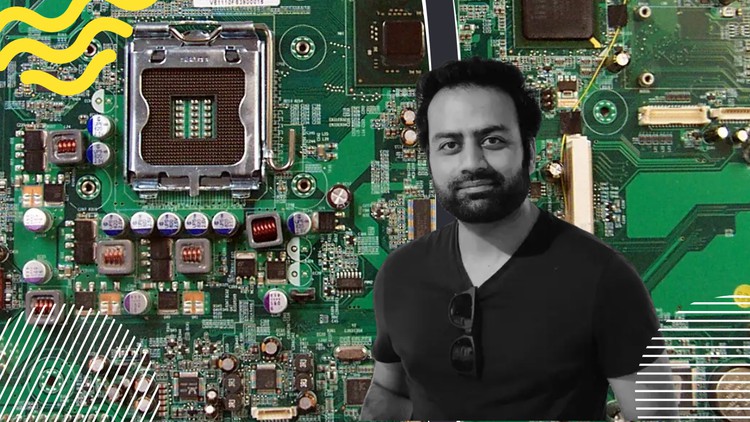
The complete computer hardware class "Full Course"

- Descrição
- Currículo
- FAQ
- Revisões
Welcome to “The Complete Computer Hardware Class – Full Course,” a comprehensive journey into the fascinating world of computer hardware. This course is designed for both beginners with no prior technical knowledge and intermediate learners seeking to deepen their understanding of computer components and systems. From the fundamental principles to advanced concepts, this course covers everything you need to know about computer hardware.
Course Overview: In this full-length course, we will embark on an exploration of computer hardware, delving into the intricate mechanisms that power modern computing devices. Through a combination of engaging lectures, hands-on activities, and practical demonstrations, you will develop a solid foundation in computer hardware and gain the skills necessary to assemble, troubleshoot, and upgrade computer systems.
Course Highlights:
-
Introduction to Computer Hardware:
-
Central Processing Unit (CPU):
-
Motherboards and Memory:
-
Storage Devices:
-
Files System
-
What is System32 and what is System64bits?
-
Media Types
-
Cloud computing and concepts
-
What is virtualization how to create one?
-
Data center and Server room tools and cabling.
-
Understanding Number Systems: Binary, Decimal, and Hexadecimal
-
This course is continually upgrading …
By the end of “The Complete Computer Hardware Class – Full Course,” you will have gained a comprehensive understanding of computer hardware, enabling you to confidently navigate the world of technology, make informed purchasing decisions, and troubleshoot hardware-related issues. Whether you’re pursuing a career in IT, curious about how computers work, or simply aiming to enhance your technical knowledge, this course is your gateway to mastering the intricate universe of computer hardware.
-
3
 Types of storages, RAM vs ROM, speed price and size of RAM, why cache memory?
Welcome to the fascinating world of computer storage and memory! In this class, we will delve into the fundamental concepts of different storage types, the distinctions between RAM and ROM, the intricate process of data transfer within a motherboard, and the crucial role that cache memory plays in optimizing computing performance.
Module 1: Types of Storage In the first module, we'll explore the various types of storage that computers rely on to store and retrieve data. From traditional hard disk drives (HDDs) to modern solid-state drives (SSDs) and emerging technologies like NVMe drives, we'll discuss the principles behind each storage medium. We'll also examine the trade-offs between speed, capacity, and cost that inform the choices we make when selecting storage solutions.
Module 2: RAM vs ROM The second module will focus on the distinction between two essential types of computer memory: Random Access Memory (RAM) and Read-Only Memory (ROM). We'll delve into the roles these memory types play in a computer system and their fundamental differences. RAM's volatility and its influence on system performance will be explored, along with ROM's permanence and its significance in boot-up processes and firmware storage.
Module 3: Data Transfer in Motherboard In the third module, we'll unravel the intricate dance of data transfer that takes place within a computer's motherboard. From data moving between storage devices and RAM to communication between various components, we'll discuss the pathways and protocols that enable seamless data flow. This module will shed light on concepts like buses, data channels, and the importance of high-speed connections for efficient data transfer.
Module 4: The Significance of Cache Memory The final module will demystify cache memory and its pivotal role in enhancing computational speed. We'll explore how cache memory operates as a small, high-speed buffer between the CPU and main memory, reducing latency and boosting performance by storing frequently accessed data. We'll discuss different levels of cache, cache management strategies, and why cache architecture is crucial for optimizing the execution of various tasks.
Throughout this class, you'll gain a solid understanding of the intricate interplay between different storage types, the essential functions of RAM and ROM, the complexity of data transfer pathways within a motherboard, and the ingenious design of cache memory. By the end of the course, you'll be equipped with the knowledge to make informed decisions about memory and storage solutions, while appreciating the role these concepts play in powering the digital world. Join us on this enlightening journey into the heart of computer memory and storage!
-
4
2nd Types of Storages
-
6
Complete File System Lecture.
Delve into the intricate world of computer file systems with our comprehensive guide. In today's data-driven landscape, grasping the fundamentals of how files are organized and managed within your devices is crucial. From the basic principles of hierarchical structures to the intricacies of modern storage technologies, our content demystifies the concepts that govern your digital universe.
? Key Topics Covered:
Introduction to File Systems: Uncover the essential concepts behind file systems, learning how they facilitate storage, access, and retrieval of your data.
Types of File Systems: Explore a diverse range of file system types, from the widely used NTFS, FAT32, and HFS+ to cutting-edge options like ZFS and Btrfs.
Hierarchy and Directories: Understand the hierarchical organization of files into directories or folders and learn how this system aids in efficient data management.
File Attributes and Metadata: Discover the hidden layers of information associated with files, including metadata, permissions, and timestamps, and how they impact file manipulation.
Storage Devices and File Systems: Unravel the connection between storage hardware and file systems, and how they work in tandem to store and retrieve your data.
Journaling and Data Integrity: Delve into the significance of journaling in maintaining the integrity of file systems, safeguarding against data loss and corruption.
Whether you're a tech enthusiast, a casual user, or a budding IT professional, our "Computer File System" guide equips you with knowledge that transcends platforms and devices. Enhance your digital literacy and gain the confidence to navigate the intricate landscape of modern data management. Join us in unraveling the complexities of computer file systems today!
-
7
What is BIOS system?